
Filters
Level
Grade
Subject
Subject Area
Subject Topic
Standard(s)
Audience
Keyword
DurationMinutes
Lesson Plans
In this 5th-grade technology lesson, students will explore the essential skills of device maintenance and basic troubleshooting. The lesson begins with an engaging discussion about common device problems and the importance of taking care of technology. Through direct instruction, students will learn about physical care, the significance of software updates, and effective battery management.
Following this, students will engage in guided practice by working in small groups to identify and resolve potential issues on various devices. They will also practice maintenance tasks, such as cleaning and checking for updates. Independent practice will involve individual reflection, as each student will create a checklist of maintenance tips and troubleshooting steps that they find most valuable.
To close the lesson, students will share their insights and commit to applying what they have learned in future situations. The lesson will be assessed through observation of group participation and the collection of handouts summarizing their learning. An extension activity will encourage students to create videos demonstrating their newfound skills, promoting peer learning within the classroom. This comprehensive approach not only teaches practical skills but also empowers students to become more responsible and knowledgeable users of technology.
In this 60-minute lesson, 4th-grade students will explore essential skills for maintaining and organizing their digital devices. The session begins with a discussion about the importance of taking care of personal belongings, transitioning into specific maintenance practices for electronic devices, such as proper cleaning methods, charging habits, and software updates. Students will engage in a hands-on activity where they will clean sample devices and practice organizing digital files and applications according to a provided organizational system. Throughout the lesson, students will share their learned tips and techniques, solidifying their understanding of device maintenance and organization. Assessment will be carried out through observation during the activity and the collection of organizing checklists. Differentiation strategies will be implemented to support varied learning needs, and extensions will encourage students to apply their skills at home. This lesson aims to instill responsible technology use and promote efficient device management.
In this preschool lesson plan, children aged 4-5 will explore the basics of digital literacy through engaging and interactive activities. The session begins with a story related to technology, prompting discussions about various digital devices and their purposes. Students will participate in exploration stations that focus on identifying digital tools, understanding safety and respectful usage through a "Technology Rules" poster, and navigating age-appropriate educational games on tablets.
After hands-on exploration, the children will gather to share what they learned, reinforcing their understanding of technology and its safe use. An optional extension activity allows for creative expression as students create a simple book to illustrate their favorite digital devices and highlight key takeaways from the lesson. Throughout the session, educators will assess children's engagement and comprehension, promoting a foundational understanding of digital literacy in a fun and supportive environment.
In this 4th-grade technology lesson, students will explore essential internet skills while learning about internet safety. The session begins with an engaging discussion to assess prior knowledge and introduces learners to effective search techniques and the importance of identifying reliable sources. Through a combination of guided instruction and group activities, students will discuss scenarios that promote safe online behavior and develop strategies to respond to potentially unsafe situations.
They will also participate in an independent research challenge where they practice finding information online and recognizing trustworthy sources. The lesson concludes with a review of key concepts and the distribution of handouts on internet safety tips and a checklist for identifying reliable sources. The assessment will include observation of group participation and evaluation of individual research responses, ensuring that students understand how to navigate the online world responsibly and effectively.
This 5th-grade technology lesson focuses on equipping students with essential internet skills related to privacy and digital footprint awareness. The lesson begins with an engaging discussion on digital footprints, defining what they are and exploring their implications. Following this, students learn about the importance of privacy settings on popular social media platforms through a structured presentation.
In groups, students research the privacy features of assigned platforms, discovering key settings and sharing tips for effective online privacy management. The class then discusses their findings, fostering collaborative learning and critical thinking regarding personal information sharing. The lesson concludes with a recap and a homework assignment where students create a "Privacy Checklist" to help them manage their online presence responsibly.
Overall, this lesson aims to empower students with the knowledge and tools necessary to navigate the internet safely, emphasizing the importance of being cautious about their digital footprints and making informed decisions about sharing information online.

This preschool math lesson focuses on integrating technology to introduce basic math concepts such as counting and number recognition. The session begins with a group discussion about numbers, where students share their favorites and practice counting with flashcards. Following this, students are divided into small groups and given tablets loaded with interactive educational math apps. They explore these apps collaboratively, enhancing their learning through technology.
After the hands-on exploration, the class reconvenes for a reflection session, allowing each group to discuss their experiences and what they learned. Students then engage in a creative activity where they illustrate their favorite numbers and count out corresponding manipulatives. The lesson concludes with a recap of the day’s learning, emphasizing the relevance of numbers in everyday life and encouraging students to identify numbers in their surroundings.
Assessment is based on teacher observation during activities and discussions, along with a review of the drawings and manipulatives created by the students. The lesson also suggests extensions for continued learning at home and the introduction of additional math concepts in future sessions. Overall, this lesson fosters a fun and interactive environment for preschoolers to develop foundational math skills through both digital and hands-on experiences.
In this preschool lesson, students will explore the relationship between technology and nature through engaging, hands-on activities. The lesson begins with a group discussion about nature, allowing children to share their favorites and understand how technology can aid in learning about the natural world. Following the discussion, students will participate in a nature scavenger hunt using tablets to identify and capture images of local plants, animals, and other items with the help of magnifying glasses. Afterward, they will regroup to share their findings and experiences, discussing how technology enhanced their exploration. To conclude the lesson, students will express their creativity by drawing their favorite discovery and reflecting on the connection between technology and nature. The lesson will be assessed by observing student engagement during activities and evaluating their contributions to group discussions and creative projects. Extension opportunities may include creating a digital nature journal or planning a visit to a local nature preserve to further connect technology with the study of the natural environment.
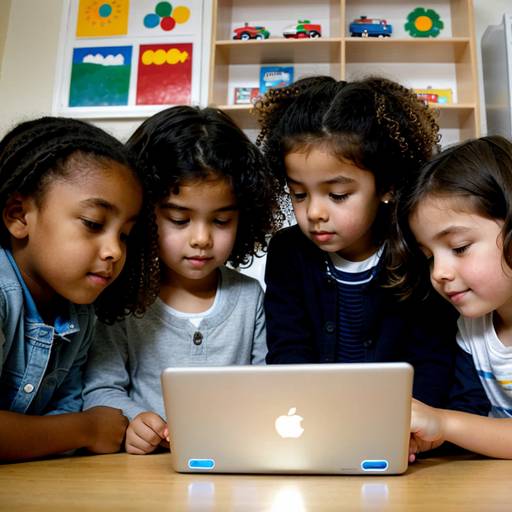
In this preschool lesson plan, children will be introduced to basic technology concepts through interactive exploration and engagement. The lesson begins with a discussion where students share their thoughts on technology, followed by hands-on exploration of various devices such as tablets, smartphones, and calculators. In small groups, children will identify and discuss the functions of these items.
The activity progresses as they create a collage featuring drawings or depictions of their favorite technology items. A storytime session will reinforce their understanding, followed by a brief period for interactive play using an educational app, emphasizing cooperative learning.
Throughout the lesson, the educator will observe and assess students’ engagement and understanding of technology through discussions and collaborative projects, fostering curiosity and enthusiasm for the digital world around them.
In this 3rd-grade technology lesson, students will explore the fundamentals of digital storytelling through multimedia creation. The lesson is divided into two class periods, during which students will work in small groups to conceptualize, plan, and produce their own multimedia stories.
Initially, students will engage in a discussion about storytelling and view examples of digital narratives, learning about key components such as narrative, visuals, and audio. They will form groups, brainstorm story ideas, and create storyboards outlining their narratives.
In the second class, students will use computers or tablets to create their multimedia projects, incorporating images, text, and recorded audio based on their storyboards. Groups will collaborate, ensuring everyone participates in the creation process. After completing their projects, students will present their multimedia stories to the class, fostering a reflective discussion on their storytelling experiences.
Assessment will focus on creativity, collaboration, and the effective integration of digital storytelling elements. The lesson encourages students to develop important skills in teamwork, technology use, and narrative crafting, making storytelling a dynamic and engaging experience.
In this 5th-grade technology lesson, students will explore the creation of multimedia presentations that combine text, images, audio, and video to effectively tell a story or present information on a chosen topic. The lesson spans two class periods and begins with an introduction to multimedia elements, followed by brainstorming sessions to generate ideas for their projects. Students will then develop storyboards to plan their presentations, focusing on structure and the types of media they wish to incorporate.
In the second class period, students will use presentation software to create their projects, applying key design principles for effective communication. They will practice presenting their work to peers, providing constructive feedback in pairs before presenting their finished multimedia creations to the entire class. Assessment will be based on a rubric evaluating creativity, clarity, use of multimedia elements, presentation skills, and audience engagement. The lesson emphasizes collaboration, creativity, and the effective use of technology to convey messages, culminating in a showcase of their work. Additionally, a reflection discussion will allow students to share their experiences and insights gained throughout the process.