
Filters
Level
Grade
Subject
Subject Area
Subject Topic
Standard(s)
Audience
Keyword
DurationMinutes
5th Grade Multimedia Creation Lesson Plans
In this engaging two-day lesson plan for 5th-grade students, learners will explore multimedia creation and video editing through a hands-on project. The first day focuses on brainstorming and storyboarding, where students work in small groups to develop their video ideas and create a visual outline of their story, incorporating key elements like message, audience, and scene details. Students will then assign roles and plan their filming strategy.
On the second day, groups will film their projects using available equipment, rotating roles to encourage teamwork. After filming, they will edit their footage, incorporating multimedia elements such as music and images while learning basic editing techniques. The lesson concludes with a reflection on their learning experience and the importance of collaboration.
Assessment will be based on participation, creativity, and the final video presentation. Potential extensions include a video screening day for peer feedback and opportunities to explore more advanced multimedia topics in future lessons.
This lesson plan aims to teach 5th-grade students the fundamentals of multimedia creation and photo editing. Over the course of two class periods, students will explore the importance of multimedia in storytelling and learn essential photo editing techniques, such as cropping, adjusting brightness, adding filters, and overlaying text. They will participate in hands-on activities, where they select and edit images for their visual stories.
In the second class, students will compile their edited images into a cohesive digital story using multimedia creation tools, incorporating text, sound, and transitions. Peer feedback and sharing sessions will foster collaboration and encourage creativity. Students will be assessed on participation, creativity, and their application of photo editing skills, with accommodations and extension activities provided to support diverse learners and enhance their understanding of technology. Through this engaging approach, students will develop critical thinking, communication, and creativity skills.
This lesson plan is designed for 5th-grade students to explore multimedia creation and photo editing over two class periods. The first day focuses on introducing students to multimedia concepts and basic photo editing techniques using appropriate software. Students participate in guided practice by editing sample images, which culminates in a class discussion about their edits.
On the second day, students will create a digital story that incorporates their edited images and accompanying text. They begin by brainstorming and outlining their narratives using storyboarding templates. Students then independently work on their digital stories, focusing on layout and design elements while being encouraged to express creativity. The lesson concludes with students preparing for brief presentations of their stories, which will take place in a future class.
Assessment criteria include the completion of storyboards, creativity in photo editing, clarity in storytelling, and participation in activities. Extensions are provided to encourage further exploration and application of skills learned. Overall, the lesson aims to enhance students' understanding of multimedia tools and storytelling techniques in a digital context.
In this engaging technology lesson for 5th graders, students will dive into the world of multimedia creation by crafting their own short video stories. The lesson begins with an introduction to multimedia and effective storytelling techniques, followed by a group activity where students brainstorm ideas and create storyboards. During the second day, students will film their videos, applying essential filmmaking skills such as framing and sound management. The final class will focus on editing their videos using user-friendly software, allowing students to enhance their projects with music and transitions. Each group will then present their completed videos to the class, fostering a collaborative environment for sharing feedback. Throughout the lesson, students will be encouraged to reflect on their learning experiences while developing teamwork and technical skills essential for multimedia storytelling. The lesson also offers suggestions for further exploration and modifications to support diverse learning needs.
In this 5th grade technology lesson, students will engage in creating a digital storytelling project that integrates various multimedia elements. The lesson begins with an introduction to the concept of multimedia and its role in effective storytelling. Students will then select a topic and outline their presentations using a storyboard template.
After choosing their topics, they will explore different multimedia tools such as Google Slides, Microsoft PowerPoint, or Canva to create their presentations. The lesson includes a peer review component where students will share their drafts with a partner, receive feedback, and make improvements before finalizing their work.
Finally, students will present their multimedia projects to the class, showcasing the content they’ve developed and the multimedia elements they have integrated. Assessment will be based on a rubric that evaluates content quality, multimedia integration, presentation skills, and collaboration during the peer review process. The lesson encourages reflection on the impact of multimedia in enhancing communication and storytelling. Extensions and adaptations are included to cater to diverse skill levels and learning needs.
In this 5th-grade technology lesson, students will explore the creation of multimedia presentations that combine text, images, audio, and video to effectively tell a story or present information on a chosen topic. The lesson spans two class periods and begins with an introduction to multimedia elements, followed by brainstorming sessions to generate ideas for their projects. Students will then develop storyboards to plan their presentations, focusing on structure and the types of media they wish to incorporate.
In the second class period, students will use presentation software to create their projects, applying key design principles for effective communication. They will practice presenting their work to peers, providing constructive feedback in pairs before presenting their finished multimedia creations to the entire class. Assessment will be based on a rubric evaluating creativity, clarity, use of multimedia elements, presentation skills, and audience engagement. The lesson emphasizes collaboration, creativity, and the effective use of technology to convey messages, culminating in a showcase of their work. Additionally, a reflection discussion will allow students to share their experiences and insights gained throughout the process.
The first day involves introducing the elements of effective presentations through discussion, examples, and a group brainstorming activity where students outline their ideas on chosen topics. They work collaboratively to create mind maps and gain peer feedback on their concepts.
On the second day, students utilize computers to develop their presentations, incorporating various multimedia elements such as images, videos, and audio to enhance their messaging. They participate in a peer review session, providing constructive feedback to one another before finalizing their projects. The lesson concludes with students presenting their projects, followed by a reflection on their learning experience. Assessment focuses on the quality of the presentations, collaboration, and the effective use of multimedia, promoting creativity and communication skills. The plan includes extensions and differentiation strategies to cater to diverse learning needs.
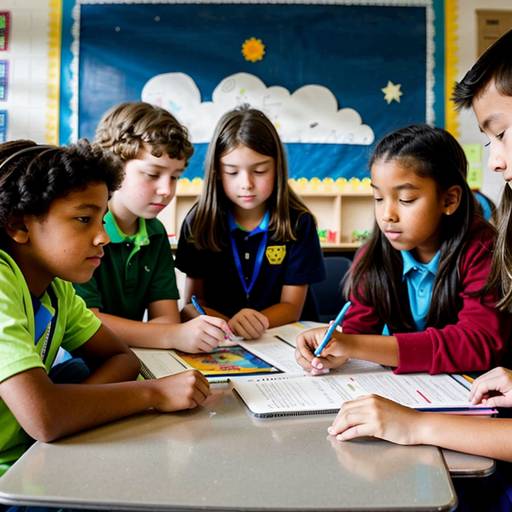
This lesson plan for 5th-grade technology focuses on multimedia creation and photo editing. Over two class periods, students will learn the fundamentals of creating digital photo collages that convey a story or theme. The lesson begins with an introduction to multimedia, including a discussion of where students encounter it in everyday life, followed by a demonstration of basic photo editing techniques using software tools. Students will then brainstorm ideas and sketch their collage layouts before gathering images to create their projects.
During the second class, students will engage in hands-on work to develop their collages while practicing the editing skills they learned. They will have the opportunity to collaborate and provide feedback to their peers throughout the creative process. To wrap up the lesson, students will present their collages to the class, discussing the stories behind their images and reflecting on their learning experiences. The assessment will evaluate creativity, technical execution, and adherence to project guidelines, with additional opportunities for presenting their work in a digital gallery format. This lesson not only fosters digital citizenship and creative communication skills but also promotes collaboration and self-expression among students.
In this lesson plan designed for 5th-grade students, the focus is on introducing the fundamentals of multimedia creation and video editing. Over two class periods, students will work in small groups to plan, create, and edit a short educational video on a topic of their choice. The lesson begins with a discussion about multimedia and video editing, followed by group brainstorming sessions to select topics. Students will engage in storyboarding and scripting, which will guide their recording process. The second class period will be dedicated to capturing video footage and learning to use video editing software to compile and enhance their projects. Each group will present their final video to the class, allowing for peer feedback and questions. Assessment will be based on collaboration, creativity, and presentation skills, and the lesson aims to foster teamwork and communication while enhancing technical skills in multimedia production. Extensions for the lesson may include publishing the videos online or exploring more advanced editing techniques in subsequent lessons.
In this 5th-grade technology lesson plan, students will explore multimedia creation through the development of engaging presentations. Over two class periods, they will learn the principles of effective presentation design and how to incorporate various multimedia elements, such as images, audio, and video, into their work.
The first day involves discussions about multimedia and its importance, followed by the group brainstorming of topics relevant to their curriculum. Students will outline their presentations, setting the stage for their projects.
On the second day, students will use presentation software to create their projects, ensuring they include specific multimedia components. They will practice presenting their work within their groups, providing constructive feedback to one another. Selected groups will share their presentations with the entire class, allowing for questions and discussions afterward.
Assessment will be based on a rubric that evaluates criteria such as clarity, creativity, and media integration, along with peer feedback. The lesson also encourages reflection on the learning process and offers extension opportunities to present their work to family members, promoting further engagement with the material. Overall, the lesson fosters creativity, collaboration, and technology skills, making the learning experience interactive and enjoyable for the students.