
Filters
Level
Grade
Subject
Subject Area
Subject Topic
Standard(s)
Audience
Keyword
DurationMinutes
5th Grade Device Maintenance Lesson Plans
In this 5th-grade technology lesson, students will explore the essential skills of device maintenance and basic troubleshooting. The lesson begins with an engaging discussion about common device problems and the importance of taking care of technology. Through direct instruction, students will learn about physical care, the significance of software updates, and effective battery management.
Following this, students will engage in guided practice by working in small groups to identify and resolve potential issues on various devices. They will also practice maintenance tasks, such as cleaning and checking for updates. Independent practice will involve individual reflection, as each student will create a checklist of maintenance tips and troubleshooting steps that they find most valuable.
To close the lesson, students will share their insights and commit to applying what they have learned in future situations. The lesson will be assessed through observation of group participation and the collection of handouts summarizing their learning. An extension activity will encourage students to create videos demonstrating their newfound skills, promoting peer learning within the classroom. This comprehensive approach not only teaches practical skills but also empowers students to become more responsible and knowledgeable users of technology.
In this 5th-grade technology lesson, students will learn essential skills related to device maintenance and organization. The objectives include identifying basic maintenance practices, demonstrating effective digital file organization, and understanding the importance of keeping devices in good condition.
The class starts with a discussion on the challenges of finding files on disorganized devices, followed by an introduction to key maintenance tasks like battery care, software updates, and virus scans. Students will also explore strategies for organizing their digital files and folders.
Through a guided practice session, students will work on a maintenance checklist and create a structured folder system on their devices. They will then engage in independent practice to clean and organize their digital spaces. The lesson concludes with a reflection discussion where students share their thoughts and experiences.
Assessment will be based on observations during activities and the completion of the maintenance checklist. Extensions include creating tutorials for younger students on maintaining and organizing devices and providing additional resources on cybersecurity.
This lesson plan focuses on teaching 5th-grade students the essential practices of maintaining and organizing their devices. It aims to enhance their understanding of device care, including routine cleaning, software updates, and battery management, while also addressing the importance of recognizing signs of device issues. The lesson includes hands-on activities where students practice cleaning their devices and discussing maintenance tips in small groups.
Additionally, the plan covers digital organization strategies, such as creating a structured folder system and effectively naming files for easy access. Students will engage in practical exercises to set up their digital organization systems, utilizing cloud storage for backups. The lesson concludes with a reflection on how these skills will benefit them in their academic and personal lives. Assessment is based on student participation and the effectiveness of their digital organization efforts. This comprehensive approach fosters good technological habits and prepares students for a more organized and efficient use of their devices.
This lesson plan is designed for 5th-grade students to introduce them to the essential concepts of device maintenance and basic troubleshooting. The objective is to equip students with knowledge on how to care for their digital devices, ensuring their longevity and optimal performance. Through engaging discussions, students will explore proper cleaning techniques, safe charging habits, and effective storage practices.
The lesson involves interactive group activities where students work in pairs or small groups to role-play common device issues and devise troubleshooting strategies using a provided checklist. Hands-on practice includes cleaning their devices and discussing proper storage methods. The session concludes with a recap of key points, a Q&A segment, and an exit ticket to assess understanding.
Assessment methods include observing student participation during discussions, evaluating group presentations, and reviewing exit tickets to gauge comprehension and identify any lingering questions. Modifications and extensions are provided to support diverse learning needs, ensuring all students can engage meaningfully with the material. Overall, the lesson aims to foster responsible and skilled use of technology among students.
In this 5th-grade technology lesson, students will explore the fundamental concepts of device maintenance and basic troubleshooting techniques. The lesson aims to help students understand common issues they may encounter with their devices, such as slow performance or frozen screens, and equip them with practical solutions.
The class will begin with a discussion about the devices students use and their experiences with any problems. Next, students will learn about basic troubleshooting steps, such as restarting devices, checking for updates, and managing apps. Small groups will work on problem-solving scenarios to apply these steps.
Students will also be introduced to essential maintenance tips, including regularly updating software and properly cleaning devices, which will be demonstrated in class. Each student will create a personalized device care checklist incorporating the knowledge gained throughout the lesson.
Finally, students will reflect on what they learned and how they can apply their new skills at home. Participation in discussions and the creation of the checklist will be used to assess their understanding of device maintenance and troubleshooting. An optional extension activity invites students to research additional tips and share their findings in the next class.
In this 5th-grade technology lesson, students will learn essential practices for maintaining and organizing their digital devices, such as computers and tablets. The lesson begins with a discussion on the importance of device care, including cleaning, software updates, and safe handling to ensure device longevity. Students will also explore effective organizational strategies, such as creating folders, clearly naming files, and decluttering unnecessary apps and files. Through guided practice, students will apply these skills to their devices, organizing files and creating a personalized maintenance plan, which includes routine maintenance activities and organization tips. The lesson concludes with student reflections on their plans, promoting accountability and collaborative learning. Overall, this lesson aims to instill responsibility and efficiency in students' use of technology.
In this 5th-grade technology lesson, students will explore the critical aspects of device maintenance and organization. The session begins with an interactive discussion on the importance of caring for technology. Students will learn various cleaning techniques for devices, such as using microfiber cloths and compressed air, through a demonstration.
After understanding cleaning methods, students will engage in hands-on practice, applying the techniques to their own devices in pairs. They will also create personalized organization plans that encompass both digital file management and physical organization of their tech-related materials.
The lesson emphasizes collaborative sharing of ideas and strategies, allowing students to enhance their plans while reflecting on the importance of maintaining clean and organized devices. For assessment, teachers will observe students’ cleaning practices and review their organization strategies. An extension challenge encourages students to create tutorial videos to share their knowledge with peers. Finally, students will be tasked with implementing their organization plans at home and documenting their experiences in a journal.
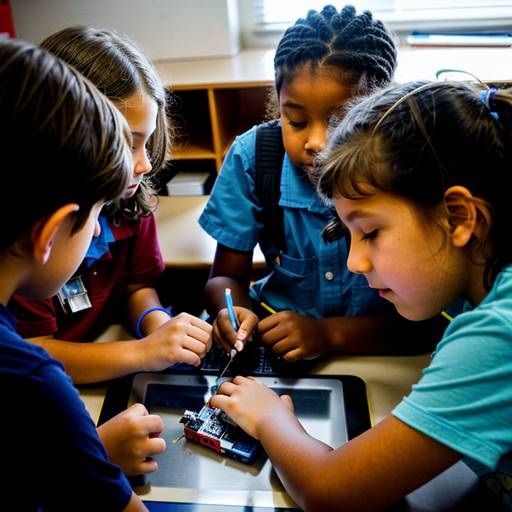
This lesson plan for 5th-grade students focuses on the fundamentals of device maintenance and troubleshooting basics. Over the course of 60 minutes, students will engage in discussions about common technology issues and learn why proper maintenance is essential for device longevity and performance. Instruction will cover key maintenance practices, such as cleaning screens and ensuring proper connections, as well as basic troubleshooting steps for typical problems like frozen screens and charging issues.
Students will participate in group activities where they will collaboratively work on scenario cards that depict various technical challenges, applying the troubleshooting methods discussed. Following this collaborative practice, they will engage in hands-on activities at maintenance stations, where they can practice techniques like cleaning screens and checking device connections.
The lesson concludes with a recap of the key points learned and an exit ticket activity that allows students to reflect on what they found most valuable. Assessment will focus on participation, collaboration in group work, and the completion of the exit ticket. The lesson encourages students to take responsibility for their technology and empowers them with practical skills to manage their devices effectively. Differentiation strategies are included to support diverse learners and extend learning for those who seek additional challenges.